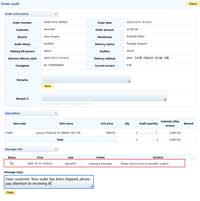
1. Enable the "Mall Online Customer Service" function on the client side. Go to "System Management" → "User Management" menu, locate the user to be configured, double-click to open the "Set User" interface, and enable the "Mall Online Customer Service" function, as shown in the figure below:
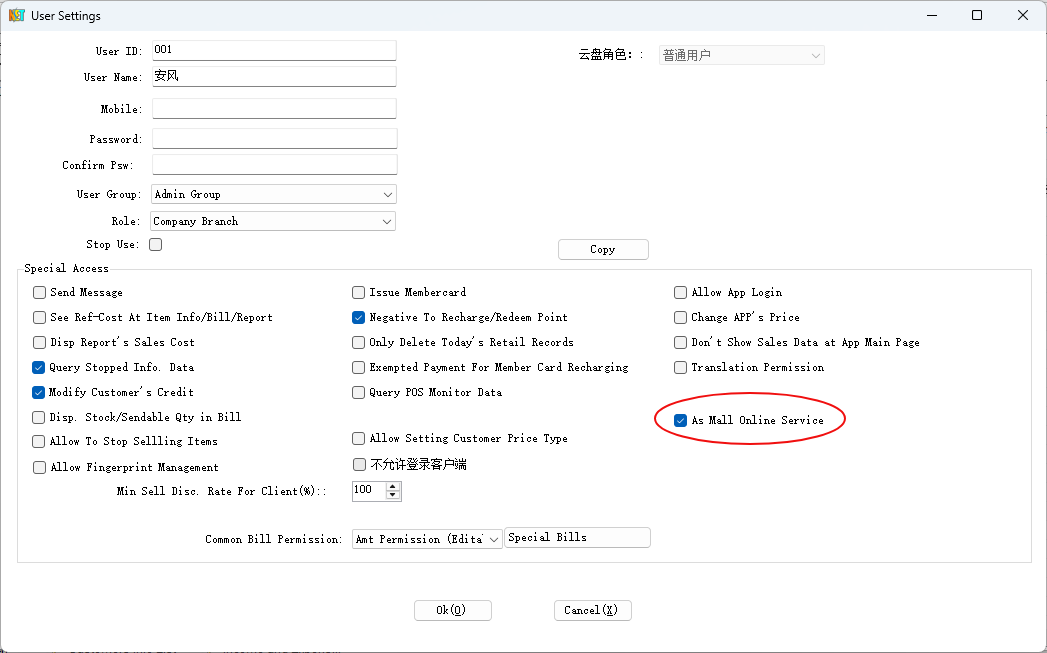
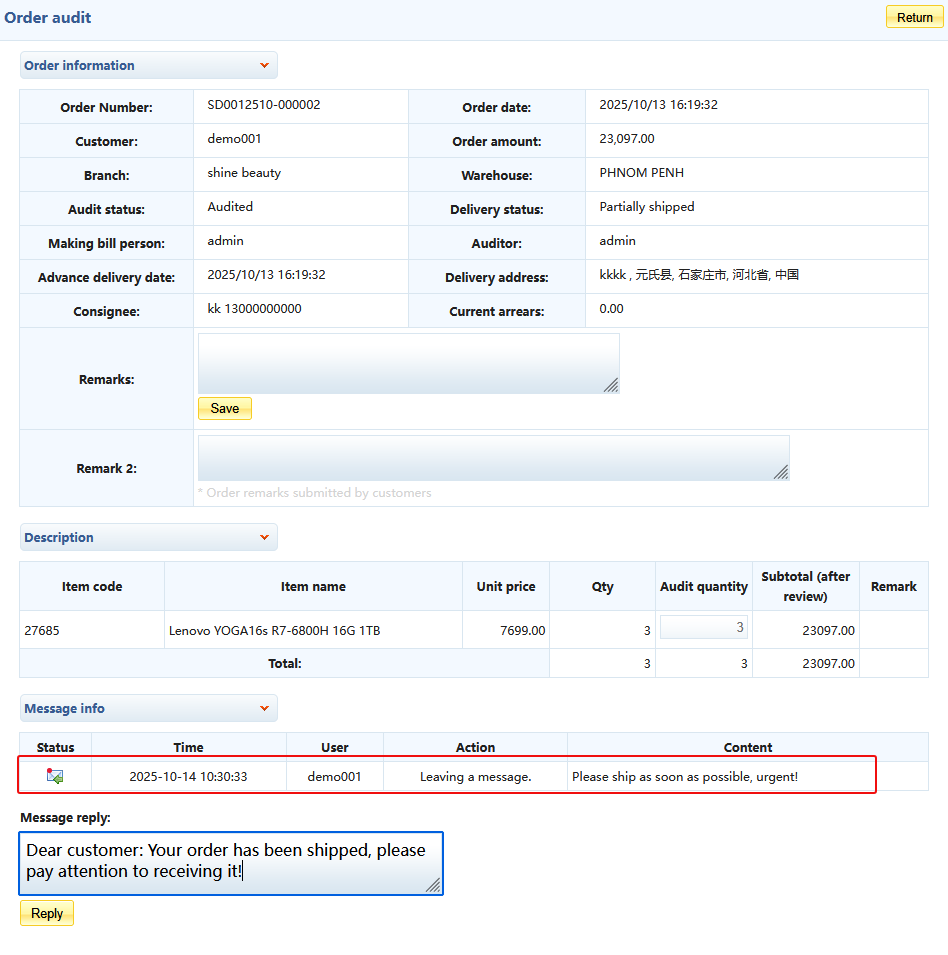
2. After enabling, when logging into the mall backend, the message board module will be displayed at the bottom of the "Order Management", "Order Browsing", "Order Shipping", and "Shipping Order Inquiry" pages. Merchants can leave messages for customers or reply to customer messages, as shown in the figure below:
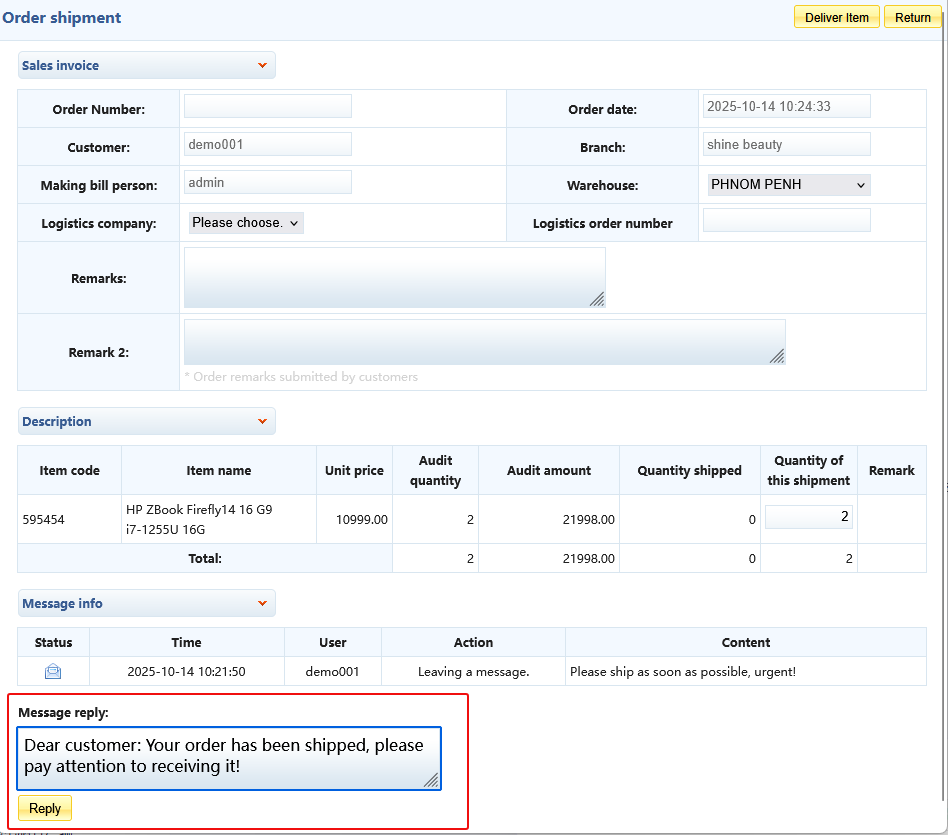
Replied messages can be viewed by customers in the mall. For details, please refer to B2B Mall Order Messages.
3. Customer messages will be displayed in the merchant's backend, as shown in the figure below:
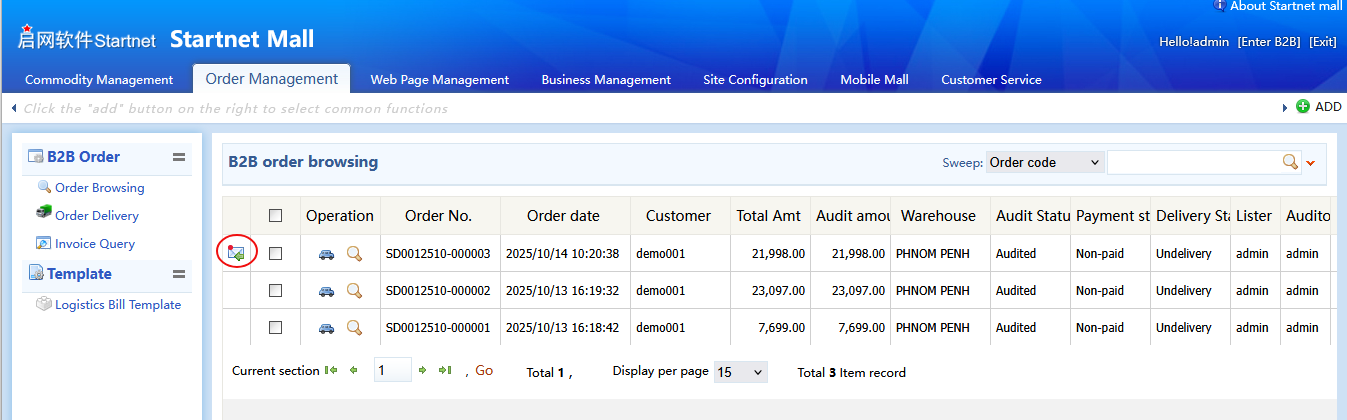
Open the message notification to view the message details and reply, as shown in the figure below:
Related Links: